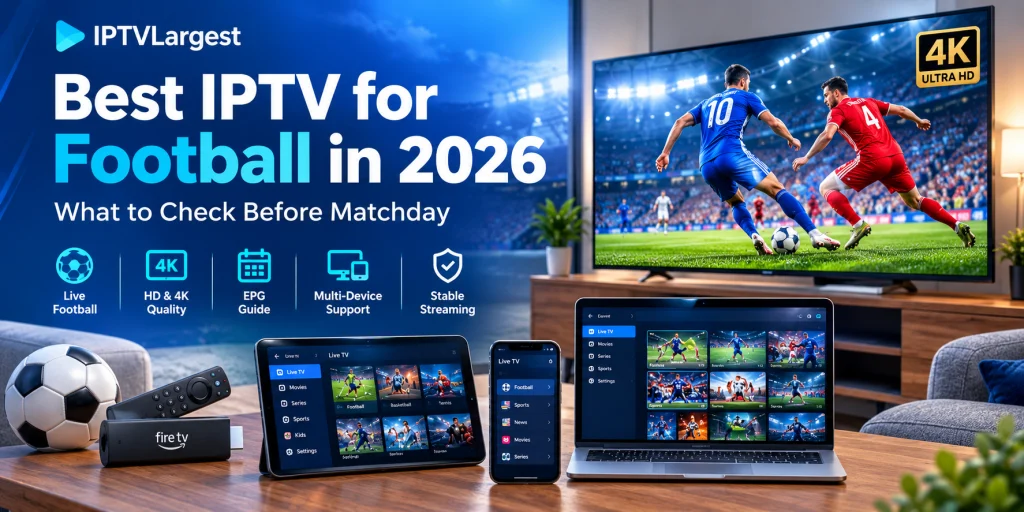
Best IPTV for Football in 2026: What to Check Before Matchday
By the IPTV Largest Editorial Team · Last updated September 24, 2026
Football is a demanding test for live streaming.
A film can pause for a moment and you may barely notice. During a football match, the same interruption can happen just as a shot is taken or a goal is scored. That changes the way an IPTV service should be evaluated.
For football viewers, the important questions are fairly practical. Can you find the match quickly? Does the electronic program guide make sense? Does the stream remain watchable when the fixture starts? Is the player responsive on your TV? And does the device you are using have enough headroom for the picture quality you expect?
There is no single IPTV setup that suits every football fan. Someone watching mainly on an Android TV has different priorities from someone switching between a Smart TV, tablet and phone. A viewer with a large 4K television also notices different problems from someone watching on a laptop.
This guide looks at the setup as a whole rather than focusing on one feature. It covers what to check before matchday, how to test a football stream properly, which devices make sense, how EPG and player choice affect the experience, and what to investigate when buffering appears at the worst possible moment.
Why Football Puts More Pressure on an IPTV Setup
Live football has two characteristics that expose streaming problems very quickly: movement and timing.
The camera is constantly following players, the ball can cross the screen in seconds, and the broadcast often cuts between wide stadium views, close-ups and replays. A stream that looks acceptable during slower content can appear much less convincing during a fast match.
Live viewing also removes the safety net you get with on-demand video.
When a movie pauses, the player has room to catch up. A live channel is already happening. A delay or interruption becomes part of the viewing experience.
That is why a football-focused IPTV setup should be judged on more than resolution or the number of channels listed on a website.
A useful setup should make four things easy:
- Finding the right match.
- Keeping the stream running consistently.
- Switching between relevant channels.
- Watching comfortably on the device you actually use.
Those sound obvious, but they cover most of the problems people run into once a major fixture begins.
What to Look for in IPTV for Football
Sports channels that are easy to find
A large playlist is not automatically a convenient playlist.
When several matches are taking place on the same day, organisation matters. Sports categories, country groups and sensible channel names make it much easier to identify the feed you want.
This becomes particularly useful when you follow football from more than one region. Instead of searching the entire playlist every time, you can work from a smaller group of relevant channels.
IPTVLargest already covers worldwide channel organisation and playlist handling in its broader Global IPTV Guide, which is useful when the same account is being used for international sports and general television.
A usable EPG
The electronic program guide is more than decoration.
For football, it helps answer the question you actually care about: where is the match and when does it start?
A good guide should give you enough information to move through the schedule without opening several channels just to identify a fixture. It also helps when matches overlap, which is common during busy league and European competition schedules.
An empty or outdated EPG does not necessarily mean that the underlying stream is unavailable. The guide may use a separate source, and its data can fail independently from the video.
Consistent live playback
This is the part worth testing under real viewing conditions.
A stream that loads at 2 p.m. tells you less than one that remains steady around kickoff. Network congestion, routing and the source itself can all change the experience at busier times.
You do not need to turn this into a technical benchmark. Simply watch the channels you care about during the period when you normally watch them.
Look for repeated buffering, long loading times, audio drifting out of sync, or a stream that needs manual restarts.
Responsive navigation
Football viewing involves more than pressing Play once.
You may open the guide, check another fixture, return to the original channel and then jump to a sports news feed. A player that responds quickly makes those small actions disappear into the background.
A sluggish interface does the opposite. It turns every channel change into a delay.
Quality that matches your screen
The largest television in the house is also the screen most likely to reveal weaknesses in a stream.
HD can look excellent when the source is good and the display handles it properly. Higher-resolution streams can provide additional detail, especially on larger screens, but resolution does not compensate for an unstable connection.
It is better to think of picture quality as a chain:
Source → network → player → device → TV
A weak point anywhere in that chain can affect the final image.
How to Test IPTV for Football Before Matchday
A short test done at the wrong time can give you a misleading impression.
Instead, use the same basic routine each time you evaluate a service.
Start with the channels you actually watch
Do not spend the entire test scrolling through a giant playlist.
Pick several football or sports channels that are relevant to you. If you follow more than one competition, include channels from different sections of the lineup.
This immediately tells you whether the service is useful for your viewing habits rather than simply large on paper.
Check the EPG
Find the channels in the guide and look at the schedule.
Are program names visible?
Do start times look sensible?
Can you identify the fixture without opening several streams?
Also check whether your device clock and time-zone settings are correct. A time-zone mismatch can make an otherwise useful EPG look wrong.
Watch before kickoff
Load the stream before the match starts and let it play.
Pay attention to how quickly the channel opens and whether playback settles down normally.
You are establishing a baseline. There is no need to change settings immediately if something looks slightly slow.
Stay on through kickoff
Kickoff is where the test becomes more meaningful.
Watch through the opening part of the match rather than checking the picture for thirty seconds and moving on.
Repeated pauses are different from a single brief interruption. A long load at the beginning is different from a stream that keeps dropping out after it starts.
The pattern matters more than any isolated moment.
Try another channel
Switch to another sports channel and then return.
This gives you a quick look at channel switching and also helps separate a single-stream problem from a broader issue.
Compare another device
This is one of the simplest diagnostic tools available.
Use the same playlist on another compatible device if you have one. A television, tablet and phone do not necessarily behave identically because they may be using different apps, decoders, networks or hardware.
If one device struggles while another plays the same stream normally, the service itself may not be the only variable.
IPTVLargest’s IPTV setup tutorials cover common installation environments including Android, Fire TV Stick, Smart TV, Apple/iOS, Windows/Mac and MAG Box, which makes a second-device comparison easier when troubleshooting.
Choosing a Device for Football IPTV
The best device is usually the one that fits the TV, player and viewing habits you already have.
Fire TV Stick
Fire TV Stick is a practical option for viewers who want to add streaming applications without replacing the television.
Its main advantage is simplicity. Once the player is installed and configured, the remote gives you a straightforward TV-style interface.
The limitation is that the experience still depends on the particular Fire TV model, application and stream being used. Keeping the device updated and avoiding unnecessary background clutter can also help maintain a responsive interface.
Android TV and Google TV
Android-based TV devices give you more flexibility when it comes to IPTV applications.
They can be useful when you want to compare different players, manage playlists or use an application designed primarily for a television interface.
Hardware still matters. Large playlists, higher-resolution streams and multitasking can expose weaknesses in older or entry-level devices.
Samsung and LG Smart TVs
Smart TVs are convenient because there is no extra streaming box on the cabinet.
The trade-off is platform compatibility.
A player designed for Android TV cannot simply be installed on every Samsung or LG television. The available apps depend on the TV’s operating system and model.
Before deciding on the final setup, check the player you intend to use rather than assuming that an Android app will be available directly on the TV.
Phones and tablets
A phone or tablet works particularly well as a secondary screen.
It can be used when travelling, for checking another fixture, or as a quick comparison device when troubleshooting the main television.
For homes with several screens, IPTVLargest has a dedicated multi-device IPTV guide covering Smart TVs, Android devices, phones, tablets and streaming equipment.
Windows and Mac
A computer remains useful as a fallback screen.
More importantly, it can help identify whether a problem is specific to your television or streaming hardware. If the same playlist behaves normally on a computer, you have another clue about where to investigate.
Does 4K Make a Difference for Football?
It can, but there is a catch.
Football benefits from detail because the image contains a lot of movement and fine texture. Grass, crowd shots, player movement and wide camera angles can all look noticeably better on a capable large-screen display.
But higher resolution is only useful when the rest of the setup can deliver it consistently.
A 4K television does not turn a lower-quality source into native 4K. The stream needs to provide the resolution, the device needs to decode it, and the network needs to sustain it without repeated interruptions.
This is especially important when comparing different streams.
A stable HD feed may be easier and more enjoyable to watch than a nominally higher-resolution feed that repeatedly drops quality or stops to buffer.
IPTVLargest’s current subscription and service content positions the platform around HD, Full HD, 4K and higher-resolution viewing across compatible devices. Its broader IPTV Subscription 2026 Guide explains the service, supported devices and common setup considerations in more detail.
What to Check When Football IPTV Buffers
Buffering during a match is easy to blame on the player because that is the application sitting in front of you.
The cause may be somewhere else.
Start by asking one question:
Is the problem affecting one channel or everything?
If a single channel freezes while several others remain stable, the issue may be isolated to that stream.
If the whole service struggles on the same device, check the local setup before making a bigger change.
Check the network connection
A wired Ethernet connection can remove some of the variability associated with Wi-Fi.
For Wi-Fi, the distance between the router and the streaming device matters, as do walls, interference and other traffic on the network.
The best connection is not the fastest number shown by a speed test. Consistency matters for live video.
Check the player
Try the same playlist in another compatible application.
You are not necessarily looking for a permanent replacement. The test itself is useful because it can show whether the problem follows the playlist or stays with one player.
Refresh the playlist and EPG
If channels are missing or the guide is empty, refresh the relevant data before reinstalling the application.
This is particularly useful after a provider updates playlist information.
Restart the device
It sounds basic, but it is worth doing before changing advanced playback options.
A clean restart removes temporary application and memory issues and gives you a better baseline for further testing.
Why the IPTV Player Matters More Than People Expect
The player does not determine the quality of the source, but it strongly affects how that source is presented.
Consider a typical football evening.
You open the app.
You check the guide.
You search for the match.
You open a channel.
You switch to another game during halftime.
You come back to the original feed.
You may repeat that process several times.
Every one of those actions happens inside the player.
This is why two compatible applications can feel very different even when they are loading the same playlist. One may have a cleaner EPG, another may make favorites easier to manage, while another may simply be more comfortable with your particular remote.
There is no need to choose a player based on the longest feature list. Choose the one that makes your normal routine easier.
Football Coverage: Think Beyond the Channel Count
A large channel number is easy to advertise.
It is less useful as a measure of how convenient football viewing will be.
Instead, make a list of the competitions you actually follow.
That might include:
- Premier League
- Champions League
- Europa League
- Bundesliga
- La Liga
- Serie A
- Ligue 1
- International football
- Regional football channels
- Sports news and analysis
Then check how easily those categories can be found.
This approach also works better for international viewers. Someone following European football from outside Europe may need several regional groups rather than one generic sports category.
The existing Global IPTV content on IPTVLargest covers international channel organisation and playlist structure, making it a natural companion to this football-specific guide.
A Five-Minute Matchday Check
You do not need a complicated routine.
Before an important game:
Open the sports category.
Find the match in the EPG.
Load the expected channel.
Watch for a few minutes before kickoff.
Stay on through the opening part of the match.
Switch to another relevant channel and back again.
Check the same playlist on a second device when something looks unusual.
That is enough to catch most obvious problems before they become matchday surprises.
The goal is not to prove that a service is perfect.
The goal is to find out whether your particular combination of service, player, device and network behaves properly when you actually need it.
Football IPTV on Firestick or Smart TV?
The choice often comes down to flexibility versus simplicity.
A compatible Smart TV gives you an integrated setup. Fewer devices on the TV stand can be appealing, especially for casual viewing.
An external Fire TV Stick or Android TV device adds another piece of hardware, but it also gives you more control over the application environment.
For someone who likes changing players or moving the same viewing setup between televisions, the external-device approach can be more convenient.
For someone who already has a compatible Smart TV application and wants the simplest possible arrangement, the TV itself may be all that is needed.
The important part is to choose the setup around the screen you actually use rather than around a feature list.
How to Build a Football IPTV Setup You Can Leave Alone
The best setup is often the one that stops demanding attention.
Keep the main television connected through the most reliable network option available.
Use a player that is comfortable with your device and playlist format.
Keep your EPG and channel data up to date.
Avoid filling a streaming device with applications you never use.
And test the important football channels before a major fixture rather than waiting until kickoff.
That last habit is particularly useful.
It turns a stressful “Why isn’t this working?” moment into a quick technical check you can perform when there is no match on the line.
Once the system is configured properly, the technology should mostly disappear from the evening.
Final Thoughts
Choosing IPTV for football is less about finding a magical specification and more about putting together a setup that behaves predictably.
Start with the football you actually watch.
Check how the channels are organised.
Look at the EPG.
Test the important streams around the time you normally watch them.
Use a player that feels natural on your main device.
Then compare another device when something goes wrong.
Picture quality matters, particularly on a large television, but consistency matters just as much. The same applies to hardware. A new box can help when old hardware is struggling, but changing devices will not fix every network or stream problem.
IPTVLargest already has separate resources covering subscriptions, device compatibility, setup and worldwide channel organisation, so this football guide works best as the sports-focused part of that wider content structure.
For the viewer, the practical goal is simple: find the match quickly, keep the stream stable, and spend more time watching football than fixing the setup.
That is a much more useful definition of a good IPTV experience.
Frequently Asked Questions
What should I look for in IPTV for football?
Start with sports-channel organisation, EPG quality, live playback stability, device compatibility and a player that is comfortable to use with your television or streaming device.
Is 4K IPTV better for football?
4K can provide more detail on compatible displays, but resolution alone does not guarantee a better experience. A consistent stream is still essential.
Can I use IPTV on a Fire TV Stick?
Yes, IPTV applications can be used on compatible Fire TV devices. The exact installation and player options depend on the device and application.
Does IPTV work on Samsung and LG Smart TVs?
It can, but application availability depends on the TV platform and model. Android TV applications such as those designed specifically for Android should not automatically be assumed to run natively on Samsung or LG televisions.
Why does IPTV buffer during live football?
The cause can be the stream, local network, Wi-Fi conditions, device hardware or player configuration. Start by checking whether the issue affects one channel or multiple channels.
What does EPG mean in IPTV?
EPG stands for Electronic Program Guide. It provides channel schedules and program information inside the IPTV application.
Should I test IPTV before a football match?
Yes. Testing the channels you expect to watch before kickoff gives you a more realistic idea of how the setup behaves than checking a random channel at a quiet time.
Does the IPTV player affect streaming?
The player affects navigation, playlist handling, guide presentation and parts of the playback experience. Testing another compatible player can also help identify whether a problem is app-specific.
Can I use IPTV on several devices?
IPTV setups can support Smart TVs, streaming devices, phones, tablets and computers, although the exact device and simultaneous-connection rules depend on the service and account configuration.
What is the most important test for football IPTV?
Watch the actual sports channels you care about around the time you normally watch live football. That gives you much more useful information than simply counting channels or checking a single stream for a few seconds.